
Imagine opening your dashboard. Something is up 38 per cent. There is a little arrow, possibly green. This feels encouraging until you notice that the phone has not rung and you still do not know what the number means.
That is not an argument against social media, search or a good website. It is an argument for asking a better question. Attention matters. But attention, understanding, enquiry and paid work are different stages. A number can look healthy at one stage while the next one is quietly missing.
For a small business, the aim is not to own the largest spreadsheet in town. It is to understand enough of the journey to make one sensible improvement. This Field Note looks at what has changed in platform reporting, what the figures can and cannot prove, and a modest way to measure the things that actually help.
The reporting context: a better-defined view still is not a lead
In March 2026, Meta announced new Facebook Content Monetization measures, including qualified views: views that may be eligible to earn money. Its update also describes an earnings rate and reasons views do not qualify. These are creator-monetisation measures, not a universal business-enquiry score, and the announcement does not mean every account has access.
The business lesson is a distinction, not a prediction about the algorithm. If a platform says a view qualifies, ask: qualifies for what? A creator earning from content and a local business trying to book a consultation have different goals. Neither should borrow the other's success measure without thinking.
A useful demonstration watched by a few appropriate people may be worth more to your business than an amusing clip seen by a much larger, irrelevant audience. That is an editorial judgement about fit, not a promise that a particular format will receive more reach.
Give each number a job
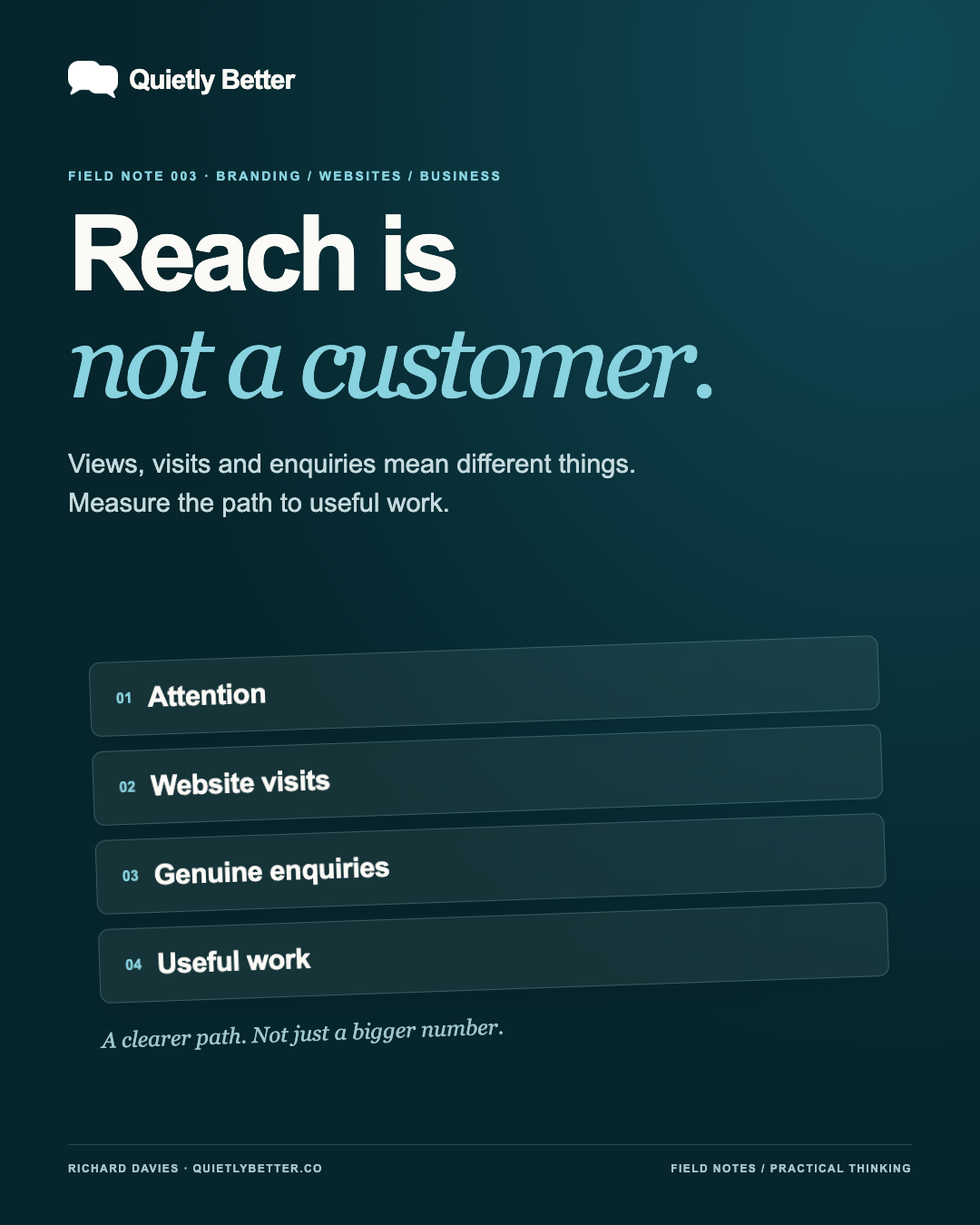
Start with the decision you need to make. Are the right people discovering you? Does the page explain the offer? Can someone take the next step? Are those enquiries turning into suitable work? Different evidence belongs beside each question.
A social profile visit is not a website visit. A click on an email button is not a received enquiry. A successfully received enquiry is not a booked job. Treating all of them as conversions makes a report look impressive while making it less useful.
For our purposes, a qualified enquiry means a real request about work you actually offer, from someone whose needs and circumstances could be a reasonable fit. Write your own definition down. An irrelevant sales pitch arriving through your contact form should not win your marketing department a small trophy.
- Discovery: are relevant people encountering the business?
- Understanding: does the destination make the offer and next step clear?
- Enquiry: are genuine requests reaching you successfully?
- Outcome: does suitable work follow, and is it worth the effort?
Before you compare, check what you are comparing
Google's guidance separates Search Console's search impressions and clicks from Analytics' sessions and on-site behaviour. Clicks and sessions need not match. Reporting definitions, delays and settings can produce differences; investigate those before declaring something broken. Compare matching periods and compatible filters, and use the appropriate source for the question.
That principle travels well beyond Google. Record the reporting dates, where the figure came from and whether it covers paid activity, organic activity or an unsplit total. If a report does not provide that split, say so. An old export does not become today's performance simply because you opened it today.
Keep unknown separate from zero. If enquiries have not been counted, write 'not recorded', not '0'. If the website is publicly available, that proves availability; it does not establish that Google has indexed a page, that someone found it or that it generated a customer. These are separate questions needing separate evidence.
Build a small scorecard you will actually use
Pick a regular review window. Four weeks is a reasonable starting point for a small business, with a short weekly check for obvious faults. It is not a statistical guarantee. If very little happens, you may need a longer view before deciding whether a change helped.
Keep one row per reporting period and channel. Alongside the dates and source, record relevant website visits where available, genuine enquiries and suitable jobs. Note what you changed. You do not need to pretend every enquiry can be attributed to one post: some people hear about you from a friend, return later or simply forget.
Ask new enquiries how they found you, conversationally and without turning it into an interrogation. Record a broad source, not unnecessary personal detail. Keep a small category for 'not sure'. A truthful incomplete picture is a better starting point than a beautifully complete fiction.
- Period and capture date: which days are covered, and when was the report obtained?
- Source and scope: which channel, filters and paid/organic coverage?
- Useful activity: visits, genuine enquiries and suitable work, where known.
- Change and next step: one thing tested, one thing to investigate next.
Label the links, not the people
Campaign tags can help identify where a visit came from. Google documents UTM parameters for source, medium and campaign, with consistent naming. For example, you might label a Facebook link to an existing service page with source 'facebook', medium 'social' and campaign 'summer_2026'. Your reporting tool must actually collect and expose those values; adding a tag does not install analytics.
Test a labelled link before relying on it. Check that it lands on the right page and, in your configured measurement system, that the expected source is recorded. Then test the next step separately. A working link and a working enquiry process are not the same test.
Use campaign descriptions rather than people's names, email addresses or phone numbers in tags. Google's Analytics guidance explicitly prohibits sending personally identifiable information in campaign parameters and URLs. The useful question is which message helped, not how much personal information you can quietly collect.
Find the missing step before making more content
Imagine a hypothetical service business whose posts attract attention but whose website receives few visits. First check whether the post gives people a relevant reason to leave the platform, and whether the link works. If website visits exist but genuine enquiries do not, inspect the destination and enquiry process. These are investigation prompts, not diagnoses from a dashboard alone.
A prospective customer may need to know what you do, who the service suits, what happens next and why they should trust you. Show actual work you are entitled to share. Explain the process plainly. Make the contact option visible on a phone. Do not demand commitment before supplying the basic information needed to make it.
If enquiries arrive but are the wrong fit, look at the offer and language. If suitable enquiries stall, examine response time, scope, pricing and availability before blaming the website. More traffic sent towards an unclear proposition can simply produce more confusion.
Give AI a bounded job, not a crystal ball
AI can help organise an aggregate report, spot mismatched date ranges and suggest questions to investigate. The useful instruction is not 'tell me how to go viral'. It is 'using only these figures, separate observations from guesses, identify missing evidence and propose one reversible test'.
Keep identifying customer details out of the material you share unless you have a properly authorised, appropriate arrangement. A summary by period and channel is often enough for this task. Check any arithmetic yourself and follow a conclusion back to the source. If the numbers are absent, an agent should report the gap rather than invent a trend.
For a recurring assistant, agree the boundaries in advance: read-only checks and local drafts are one job; posting, spending, changing a live site and contacting people are others. Automating the report should not accidentally automate permission. Faster nonsense is not a particularly exciting service offering.
A fortnightly experiment without the dashboard theatre
Choose one real customer question. Answer it properly in one piece of useful content, show a relevant example and connect it to one clear next step on your website. Keep the message recognisably yours across social and the destination. You are testing a coherent route, not trying to win every platform at once.
Before sharing, write down what you expect to learn. Perhaps people are discovering the service but not understanding it. Your test might be a clearer explanation and a more visible contact route. Record what you changed and keep other major changes limited so the result is easier to interpret.
After the fortnight, review the evidence available so far. With small numbers, the result may be inconclusive; keep observing rather than manufacturing a victory. One suitable conversation can still teach you something useful about the offer. Do not call it a proven lift or return on investment without enough supporting evidence.
A clearer path to useful work beats a bigger number with nowhere to go.
Where Quietly Better fits
Quietly Better is my small, personally led South Coast studio, working Australia-wide. The starting point is branding and identity, followed by custom websites, connected social content and ongoing care. Practical business systems and AI support that work when they genuinely help; they are not a requirement for every customer.
That connected approach matters because a well-made post cannot repair an unclear offer, and a good-looking website cannot make an untested contact form reliable. I want the pieces to make sense together: what the business stands for, what someone sees, where they land and what happens next.
No promise of instant dominance. No mystery growth potion. Just clearer decisions, considered design and useful things that earn their place. If that sounds like a better way to work, start by checking one journey on your own phone today. You may find the next improvement before you open another dashboard.
Sources and further reading
Platform statements are linked to primary sources. The practical examples, recommendations and interpretation are Richard's analysis; they are not promises of reach, rankings or sales.
- Meta Newsroom — creator metrics update, March 2026Creator monetisation context only; not a universal business-lead metric. Checked 22 October 2026.
- Google Search Central — Search Console and AnalyticsDefinitions and comparison caveats. Checked 22 October 2026.
- Google Analytics Help — campaign URL parametersCampaign tagging and naming guidance. Checked 22 October 2026.
- Google Analytics Help — avoiding personal informationURLs and campaign parameters must not transmit personal identifiers. Checked 22 October 2026.
Know someone
who would use this?
Share the article directly, copy its permanent link or download the finished artwork for a manual social post.
https://quietlybetter.co/insights/reach-is-not-a-customer